

- Home
- Help and Support
- Product Ranges
- ABS Stratos Aqua High Performance Gaming PC - Intel i5 13600KF - GeForce RTX 4080 - SA136KF480
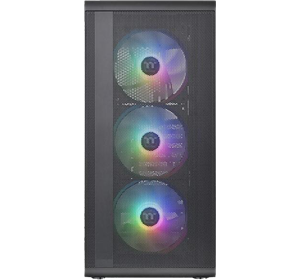
ABS Stratos Aqua High Performance Gaming PC - Intel i5 13600KF - GeForce RTX 4080 - SA136KF480
Search Our Support Content
Popular Topics
For an optimised experience at this window size, please refresh your browser.
For an optimised experience at this window size, please refresh your browser.
Motherboard
Motherboard
Name
MSI PRO Z690-A WIFI
Motherboard user manual
Motherboard user manual
Body
Body
Dimensions (inches)
18.11x8.27x15.56 (HxWxD)
Connectivity
Connectivity
Processor
Processor
Cooling system
ABS 240MM RGB Liquid Cooler
Processor core count
14
Processor thread count
20
Model
Intel Core i5 13600KF
CPU speed
Up to 5.1GHz
Platform
Platform
Memory
Memory
Features
Features
Special features
VR ready
Graphics card
Graphics card
Graphics card type
NVIDIA GeForce RTX 4080
Warranty
Warranty
Device warranty
12 months
Power
Power
Power supply
Thermaltake 750W 80 Plus Gold ATX 3.0
Storage
Storage
Hard drive capacity
2TB M.2 NVMe SSD
Built-in Devices
Built-in Devices
Optical drive
No
Key Information
Key Information
Type
Mid Tower
Interfaces/Ports
Interfaces/Ports
Display port
Yes - 2
HDMI port
Yes - 1
USB port
Yes
For an optimised experience at this window size, please refresh your browser.
Click on one of the category boxes below to see our list of the latest updated drivers for your PC.
To install your chipset driver, follow the link below and follow the steps.
- Locate and download the Intel Chipset Driver.
- Run the file once it's downloaded to install your chipset driver.
To get the best performance and experience out of your Nvidia graphics card, we recommend that you first download the GeForce Experience if it's not already pre-installed, as this software will help keep your graphics drivers up-to-date.
If you'd like to install your graphics drivers separately, please see the link and steps below to install the latest Nvidia driver for your graphics card.
- Open the link above.
- Locate the Driver Downloads menu.
- Use the dropdowns to select your system's graphics card, operating system, and language.
- Press Search.
- Download your driver.
- Locate and run the file once it's downloaded.
- Follow the steps in the installer wizard to install your driver.
Did you find this guide useful?
Thank you for your feedback
Thank you for taking the time to give us feedback. All feedback helps us continue to provide the best online support for our customers and is very much appreciated.
